Ready to explore the verse?
Step 1: Create Your Account
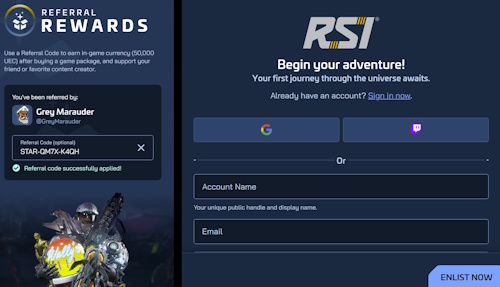
The easiest way to get started is by using one of our Referral Code links (found in the yellow box). This bypasses the complexity of the official website’s sign-up process and gives you more starting in-game money (and us another referral point). A free account is all you need to get access to any free fly event. Once you click on the link, you will see the image below, fill out the form and click Enlist Now. You can also watch the video - Play Star Citizen - Getting an Account
Pro-Tip: If you aren't ready to buy, keep an eye out for Free Fly events held a few times a year. These allow you to test the game for free using just your free account.
Play Star Citizen - Getting an Account
Step 2: Purchase a Starter Package
To play the game anytime you want, you’ll need a Starter Package, which includes 24/7 game access and a basic ship.
Recommendation: We suggest the Generalist Starter Pack featuring the Drake Cutter. It is a reliable ship that will handle everything you need to get started, and you can always upgrade or purchase new ships later using in-game currency. If you wait for an event (ILW or Invictus Launch Week / DefenseCon / IAE or Intergalactic Aerospace Expo), you may find a starter pack a bit cheaper
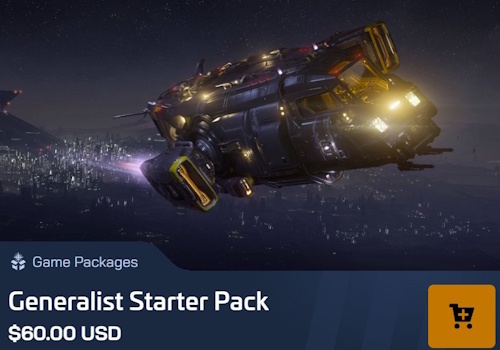
Play Star Citizen - Buying a Package
Step 3: Download the Launcher
The game is massive—expect a download of nearly 100GB, so ensure you have enough disk space on a SSD drive and a stable connection. You should have at least 16gb of ram, 32gb would be better.
Download and install the Star Citizen Launcher (less than 200MB).
Log in to your account within the launcher to initiate the full game installation.
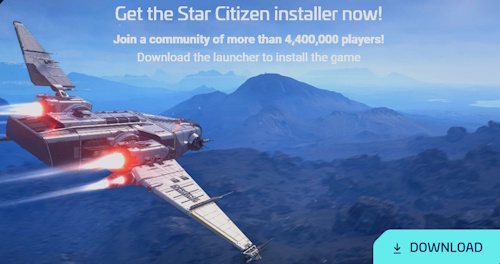
Play Star Citizen - Download It All
Step 4: Launch and Learn
Create Your Character: Use the DNA customization tools to build your in-game avatar.
Choose a Starting Location: You will be prompted to pick a Primary Residence. New Babbage (microTech) in Stanton or Lorville (Hurston) in Stanton are excellent choices for beginners, offering straightforward transit layouts and easy navigation to the local spaceport.
Optimize Graphics Settings: Once launched, open your settings before jumping in. Turn off Motion Blur, Film Grain, and Chromatic Aberration for cleaner visuals, and set your volumetric clouds to medium or off to maximize frame rates.
Star Citizen has a steep learning curve. Don't be discouraged by the complexity; the community is vast and helpful. For a deeper dive into the mechanics, move on to our Starting the Game section.
Play Star Citizen - Start
Need More Help?
If you have questions, the best place to find answers is our Discord server.
Additionally, we maintain a [Resource Collection] containing essential links, including official Roberts Space Industries pages, cargo calculators, ship databases, and community wikis. We are constantly updating our "Extra Stuff" section with quick tools to make your journey smoother.
Check out our video tutorials for a visual walkthrough of these steps.